











Bot
FeaturePriceContact

Experience the next generation of trading
with platform an intelligent bot

deploy bot
Working on your behalf · Seize the opportunity to make a profit. · Automated buying and selling, 24 hours a day.

สมัครและเริ่มใช้งานฟรีวันนี้!Get StartedGoogle Play
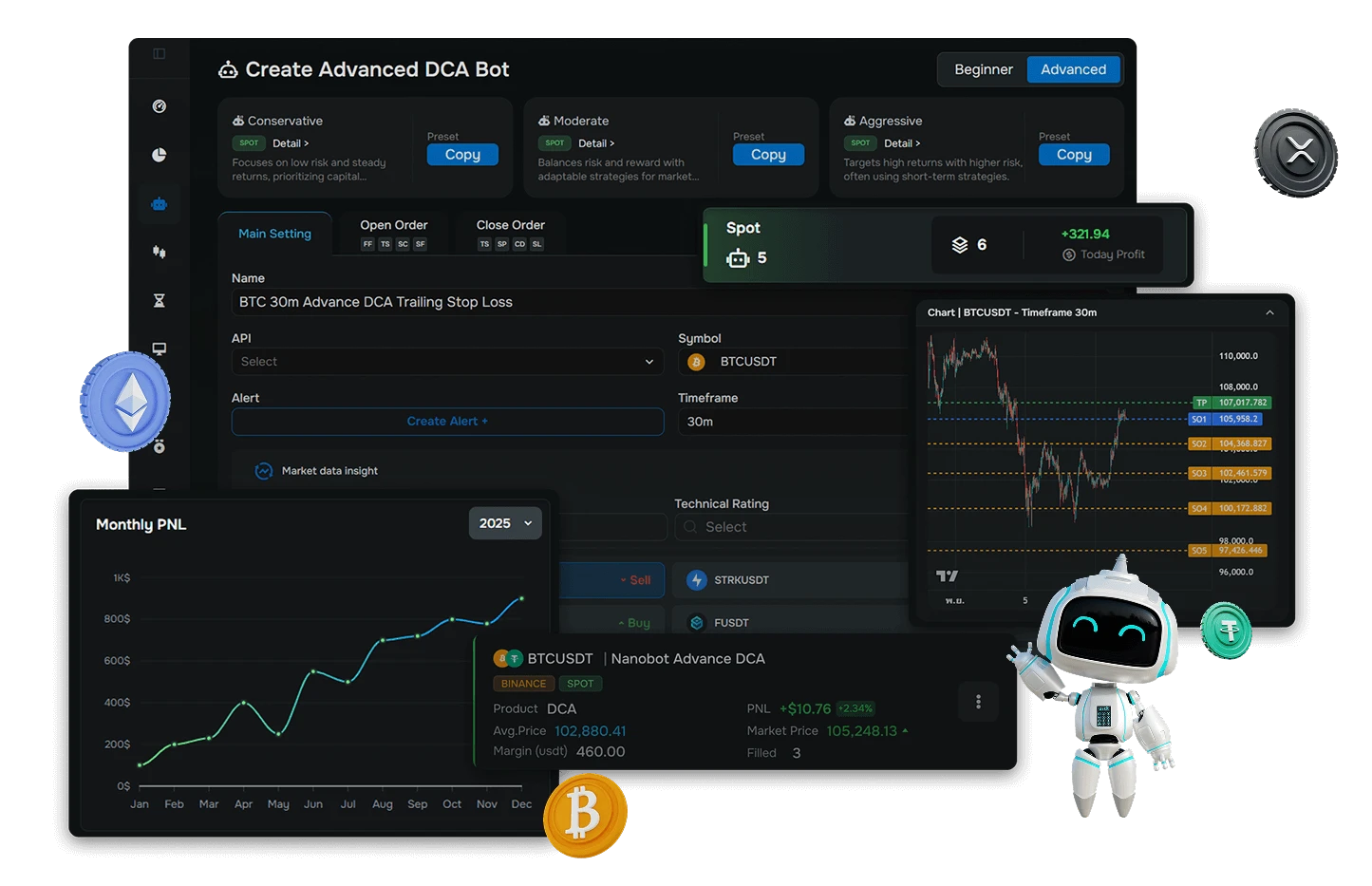
หน้าจอแพลตฟอร์ม Nanobot แสดงบอทเทรดคริปโตที่กำลังทำงาน
Craft your superior strategy
Build a strategy that gives you a competitive edge.
Backtesting Software
Test your strategies with historical market data before going live.
Real-time bot control
Monitor and manage your trading bot in real time.

Market Trend

All >

Bitcoin

BTC
0$+0%

Ethereum

ETH
0$+0%

Binance

BNB
0$+0%

XRP

XRP
0$+0%
Try Free for 7 Days
Unlock all Bot Trade Terminal features. Test your strategies
with a Demo account before trading live.
Claim Demo Credit 100,000 USDT
Do you want to start bot now?
Configure your automated trading system, design your trading strategy, and trade securely with precision.
Explore Features
Feature Highlights
Advanced features designed to take your trading performance to the next level.
Trailing Take Profit
The Trailing Take Profit feature helps adjust the Take Profit level based on the conditions set by the user. When the price moves in the configured direction, the system helps manage exit orders with greater flexibility and keeps order management aligned with the user’s trading plan.
Safety Order Layering
Smart Stop Loss Features
Free Trading Terminal
Advanced DCA Engine
All-in-one Portfolio
Build next-level trading strategies
How do a Bot and a Deal work differently?
A Bot works on your behalf, and a Deal is the buy–sell cycle the bot opens.

Strategy Manager · The Strategy Engine

Bot → Your Automated Trading Assistant

A bot is a program that runs the “strategy” you configure — watching the market and placing buy and sell orders automatically, 24 hours a day, so you don’t have to watch the screen yourself.

  • Runs continuously 24/7 — never misses a market move
  • Multiple strategies to match your style
  • Easy to use even for beginners — just click to set up and start
  • Connect to exchanges securely via API
DCA BotGrid BotSignal Bot

Deal — One Trading Cycle of the Bot

One Buy–Sell Round · One Trade Cycle

When the bot sees an entry opportunity, it opens one Deal and manages the buy and sell orders within it until it closes in profit (or cuts the loss) — one bot runs one Deal (with a feature to run several coins at the same time).

1Base OrderPlaces the first buy order to create the Deal
2Step OrderBuys more as the price dips to lower the average cost
3Take Profit / Stop LossCloses the Deal — sells for profit at the target, or limits the risk

How a DCA Bot and its Deal are structured

Follow the buy and sell orders the bot places within one cycle, from open to a profitable close.

Base Order (Buy)Step Order (Add)Take Profit (Sell for profit)Average price
DEAL Result+0.00%+30.18 USDT
Avg price after SO 1Final average price (avg price)Base OrderSO 1SO 2Take ProfitTime →

← Swipe to see the full chart →

01 · Buy
Start the Deal with a Base Order

The bot places the first buy order based on the configured strategy signal, opening a position for this cycle.

02 · Add
Average down with Step Orders

If the price dips, the bot gradually buys more across the configured layers to pull the average cost lower.

03 · Sell
Close the Deal at Take Profit

When the price rises back to the target, the bot sells all orders and closes the Deal, locking in the profit.

How a Bot and a Deal work together

1 Bot Deal #1 · #2 · #3 …

Think of the “Bot” as a tool that manages trading automatically and never stops, while each “Deal” is one round it opens and closes again and again. Every closed deal is saved to your trade history, so you can review every order later.

Bot ETH ASAP · DCAETH/USDT · Running
Deal #571 ETH/USDT
+2.56%Close
Deal #572 ETH/USDT
+2.89%Close
Deal #573 ETH/USDT
In progressRunning
Please note: The figures in this example are simulated for learning purposes. No bot can guarantee profits in every market condition. We recommend starting with a Demo account and testing your strategy with Backtesting before going live.
Why choose Nanobot?
Key reasons why traders choose Nanobot.

24/7 Continuous Operation

Never miss a market opportunity. The bot executes your strategy around the clock, even when you are away from the screen.

Smart and Flexible Strategies

Choose from DCA, Grid, Rebalance, Scalping, and more to match your trading plan.

Easy to Use, Even Without Technical Skills

Designed for quick onboarding. Start using it without coding or complicated setup.

Professional Risk Management

Set risk-control conditions such as Stop Loss, Trailing Stop Loss, and other safeguards to manage trading more confidently.

Demo Account for Risk-Free Practice

Test strategies before going live and evaluate performance without risking real funds.

Thai Support Team That Understands the Market

Get guidance and support from a team that understands real trading conditions and local users.
Affiliate Program
Create passive income through referrals.
Tier
Role
ตารางระดับ Tier และผลตอบแทนของโปรแกรมพันธมิตร Nanobot
Worldwide Integrations with Nanobot
Connect with leading global platforms in one place.
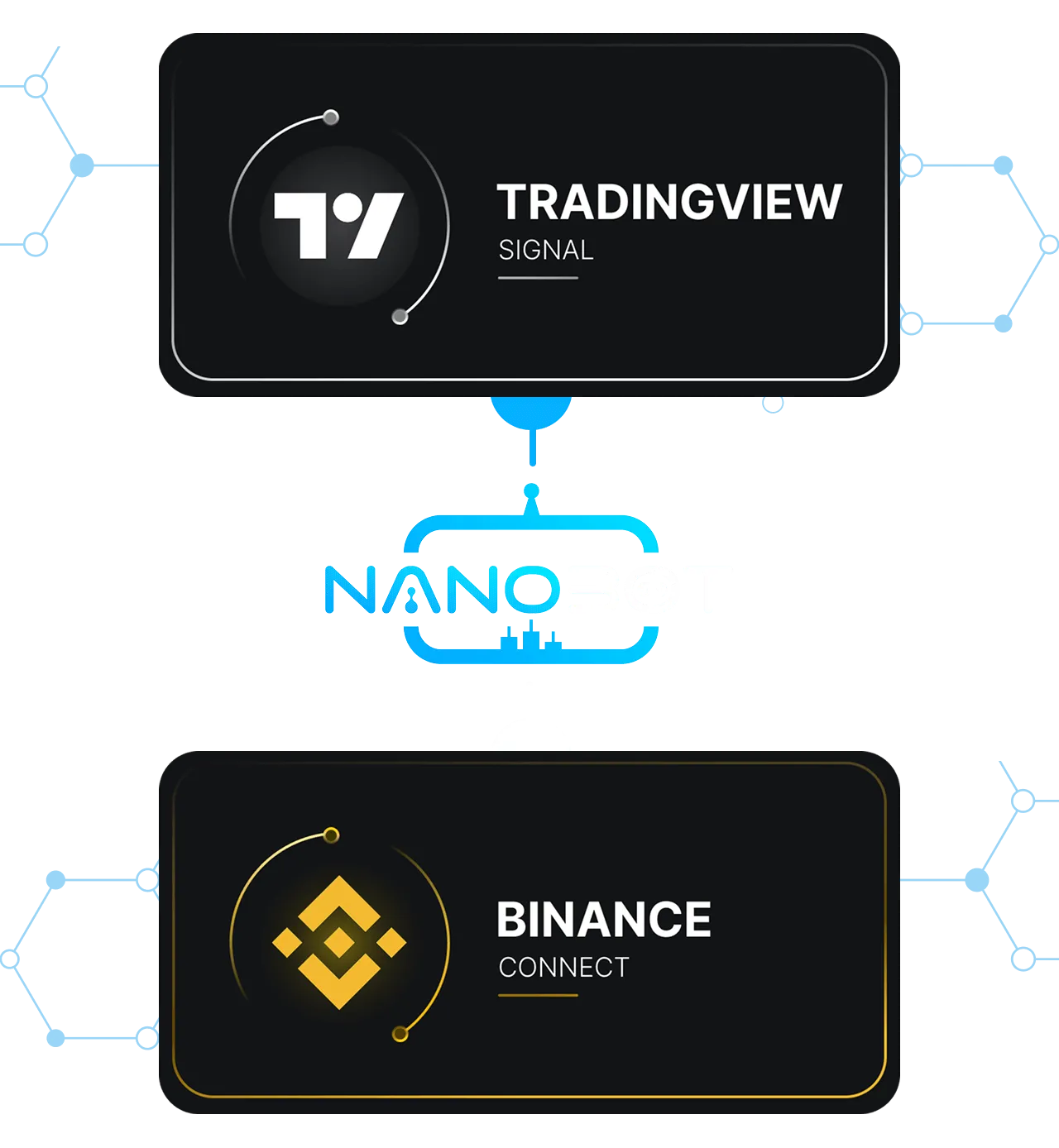
Transform TradingView alerts into automated trades
Connect the most famous Exchange around the world
User Data Security
Strong Data Encryption
Nanobot prioritizes the protection of user data
through security measures designed to help reduce the risk of unauthorized access and support confident platform usage.
Multi-Layer Security Protection
Nanobot is designed with multiple layers of security
including access control, activity monitoring, and risk mitigation to help protect user accounts and platform data.
Secure API Key Storage
User API keys are stored and protected with appropriate safeguards
and are used only for account connections and actions authorized by the user to help enhance platform security.

Subscription Plan

Subscription Plan
Monthly
Annual
Save 25%
Free
Free use for lifetime
0
฿/Month
Demo trading mode
All Features
Unlimited
Terminal Trading
New
1 Running DCA Bot
1 API Exchange Connection
No Signal Bot
No Bot Backtest Strategy
Basic
Recommend for starting
1,090
฿/Month
Everything included from Free Plan
5 Running DCA Bot
3 Signal Bots
2 API Exchange Connection
DCA Bot Backtest Strategy
Premium
Recommend
Free 7 days, and then 1,990.00฿/month
1,990
฿/Month
Everything included from Free Plan
Unlimited
Running DCA Bot
Unlimited
Signal Bots
3 API Exchange Connection
DCA Bot Backtest Strategy
ชำระเงินผ่าน TrueMoneyชำระเงินผ่าน Visaชำระเงินผ่าน Mastercardชำระเงินผ่าน UnionPayชำระเงินผ่าน KBank ธนาคารกสิกรไทย
FAQ
This section helps you better understand the platform,
its features, and how it works in real trading scenarios.
This section helps you better understand the platform,
its features, and how it works in real trading scenarios.
How do I get started if I have never used a trading bot before?
Nanobot provides a Demo Account for beginners to try the system with simulated funds before connecting to real funds. Users can test supported strategies such as DCA Bot, Grid Bot, or Signal Bot to learn how the bot works before connecting an API to an Exchange.
💡 We recommend starting with Demo Mode, reading the user guide, and reviewing your strategy settings carefully before live trading.
Is Nanobot safe, and can the bot access funds in my account?
Nanobot connects to your trading account through API permissions set by the user. The system is designed to use API access only for placing buy and sell orders according to the conditions configured by the user. To help reduce risk, users should enable only the necessary permissions, such as Read and Trade, and always disable Withdraw permission before connecting an API to Nanobot.
💡 Users should review their API settings, access permissions, and market risks before live trading.
How do I set up a bot? Is it complicated?
Nanobot is designed to guide users through bot setup step by step. Users can select supported strategies such as DCA Bot, Grid Bot, or Signal Bot, then configure buying conditions based on their own trading plan. We recommend starting with a Demo Account to learn how the system works and review your strategy settings before connecting an API to an Exchange.
💡 No coding is required, but users should understand the strategy, API permissions, and market risks before live trading.
How does Nanobot help during volatile market conditions?
Nanobot helps users manage strategies based on configured conditions, such as Safety Order, Take Profit, Trailing Take Profit, and Stop Loss. However, no trading bot can guarantee profits in all market conditions. Users should test their strategies with Demo Mode or Backtesting and monitor bot status regularly.
💡 Nanobot focuses on structured strategy execution and risk management, not guaranteed trading results.
What is a Nanobot Demo Account?
Demo Account is a simulated environment that allows users to try Nanobot with virtual funds. It helps users learn how to set up bots, test supported strategies, and understand how the system works before connecting real funds.
💡 Demo results are for learning and simulation purposes only and may differ from real market results.